Mission: live in a world where you can learn mathematics, physics, chemistry, biology and engineering for free whenever they want from perfect open source books made for free by people who want to ...

With over 250 entries, Board-DB.org is the largest online database and comparison tool for single board computers, ARM development boards and embedded SoM modules. It is frequently updated and no signup is required!
THE ESP8266 HONEYPOT: A PROJECT TO TRAP SCRIPT KIDDIES EVERYWHRE!!
The legend states that the devil himself approached Buckethead with a wager. The legend never tells what Buckethead got, but the devil got guitar lessons. (Scoobert Doobert)

This web site contains notes and materials for an advanced elective course on statistical forecasting that is taught at the Fuqua School of Business, Duke University. It covers linear regression and time series forecasting models as well as general principles of thoughtful data analysis.
The time series material is illustrated with output produced by Statgraphics, a statistical software package that is highly interactive and has good features for testing and comparing models, including a parallel-model forecasting procedure that I designed many years ago.
The material on multivariate data analysis and linear regression is illustrated with output produced by RegressIt, a free Excel add-in which I also designed. However, these notes are platform-independent. Any statistical software package ought to provide the analytical capabilities needed for the various topics covered here.
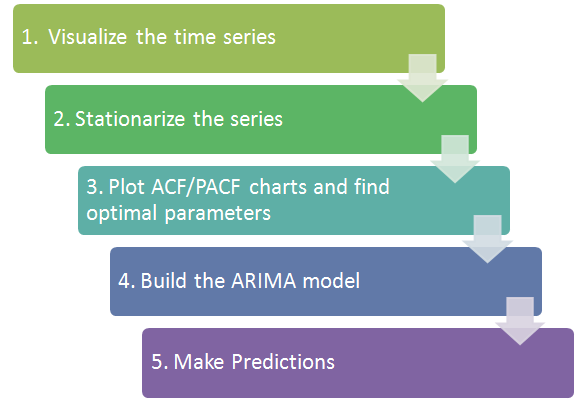
Shaarli Material is a theme for Shaarli, the famous personal, minimalist, super-fast, database free, bookmarking service.
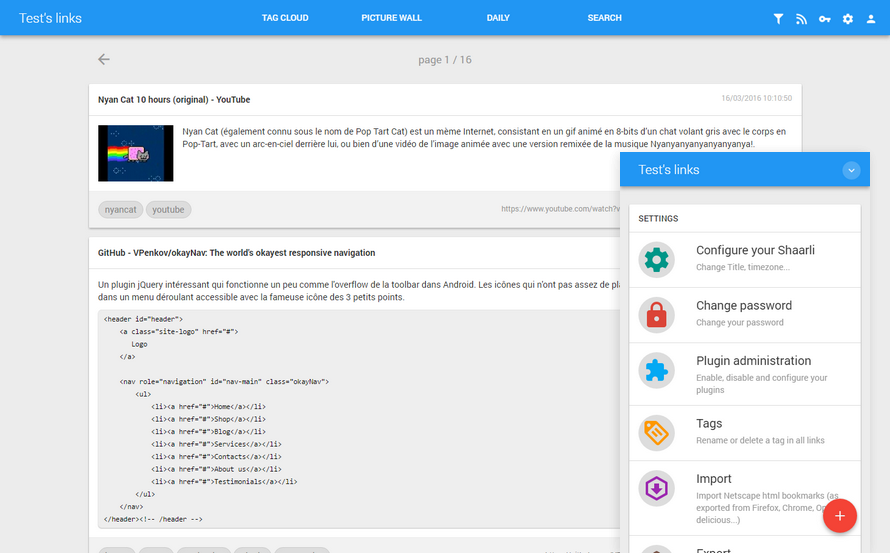
robust, optimal, and clear programming language. Contribute to ziglang/zig development by creating an account on GitHub.
Marker is a command bookmark manager for the console. The tool lets you bookmark commands and command templates, and easily retrieve them using a real-time fuzzy matcher.
The tool is useful to remember commands used previously, which is like going through your Bash history but better since you can add descriptions for each bookmark (and add placeholders), as well as to save some commands you come across, for future use. Your command bookmarks are saved in a text file located in ~/.local/share/marker/.
Marker features include:
- Real-time fuzzy matcher for commands and descriptions, with a UI selector to easily choose the desired command if more than one is presented
- Command template: You can bookmark commands with placeholders and quickly place the cursor at those placeholders using a keyboard shortcut
- Includes common commands for Linux and macOS from the tldr project
- Keyboard shortcuts: Ctrl + space to search for commands, Ctrl + k to bookmark a command, and Ctrl + t to place the cursor at the next placeholder, identified by '{{anything}}', to fill out the command - these are customizable
How does it work?
User registers directory aliases, for example:
goto -r dev /home/iridakos/developmentand then cds to that directory with:
goto devThis article shows you an elegant way to synchronize and autobackup folders using only inotifywait and rsync in a Bash script. In general, this solution will be light, inexpensive and, why not say, safer. In essence, only inotify-tools, Rsync, and a while loop are required to complete this mission.
This tutorial describes how to share files or folders of any size securely and anonymously using OnionShare in Unix-like operating systems.
Today we are going to learn some command line productivity hacks. As you already know, we use “cd” command to move between a stack of directories in Unix-like operating systems. In this guide I am...
There is no limitation for Linux Bash tricks. We already wrote wide range of topics about Bash tricks which is awesome. Each topics are very useful so we can't
Keeping track of your work hours will give you an insight about the amount of work you get done in a specific time frame. There are plenty of GUI-based productivity tools available on the Internet for tracking work hours. However, I couldn’t find a good CLI-based tool. Today, I stumbled upon a a simple, yet useful tool named “Moro” for tracking work hours.
Moro is a Finnish word which means “Hello”. Using Moro, you can find how much time you take to complete a specific task. It is free, open source and written using NodeJS.
In a recent article, we talked about Gogo – a tool to create shortcuts for long paths in a Linux shell. Although gogo is a great way to bookmark your favorite directories inside a shell, however, it has one major limitation; it lacks an auto-completion feature.
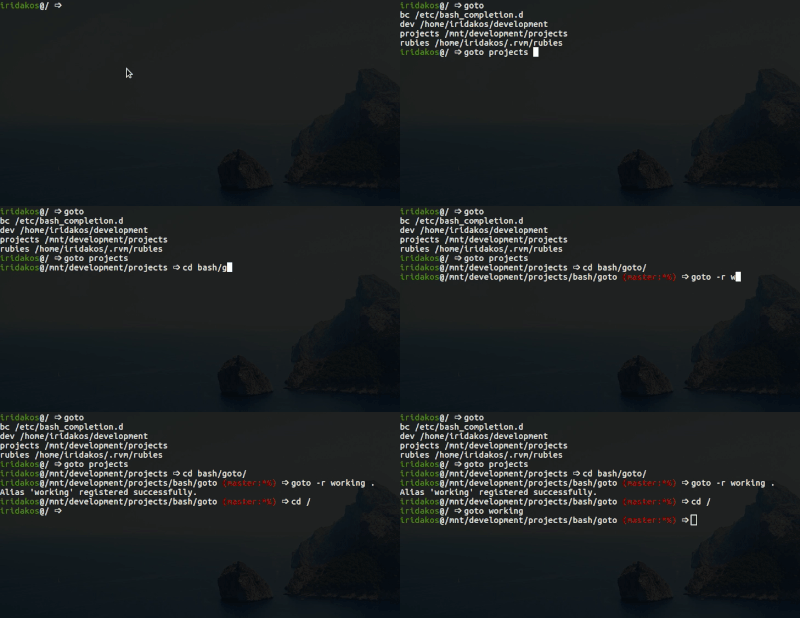
Because of the above reason, we went all out to find a similar utility with auto-completion support – where the shell can prompt with suggestions of the available aliases (shortcuts to long and complicated paths) and luckily, after crawling through Github, we discovered Goto.
Goto is a shell utility to quickly navigate to aliased directories, with support for auto-completion. It comes with a nice auto-completion script so that once you press the tab key after the goto command or after typing a few charters of an existing alias, bash or zsh prompts with suggestions of the aliases or auto complete the name, respectively.
Goto also has additional options for unregistering an alias, expanding an alias’s value as well as cleaning up aliases of deleted directories. Note that goto’s auto-completion only works for aliases; it is separate from shell auto-completion for commands or filenames.